Branching with Beats & Choices
The core mental model for building non-linear scenes.
Lines and choices#
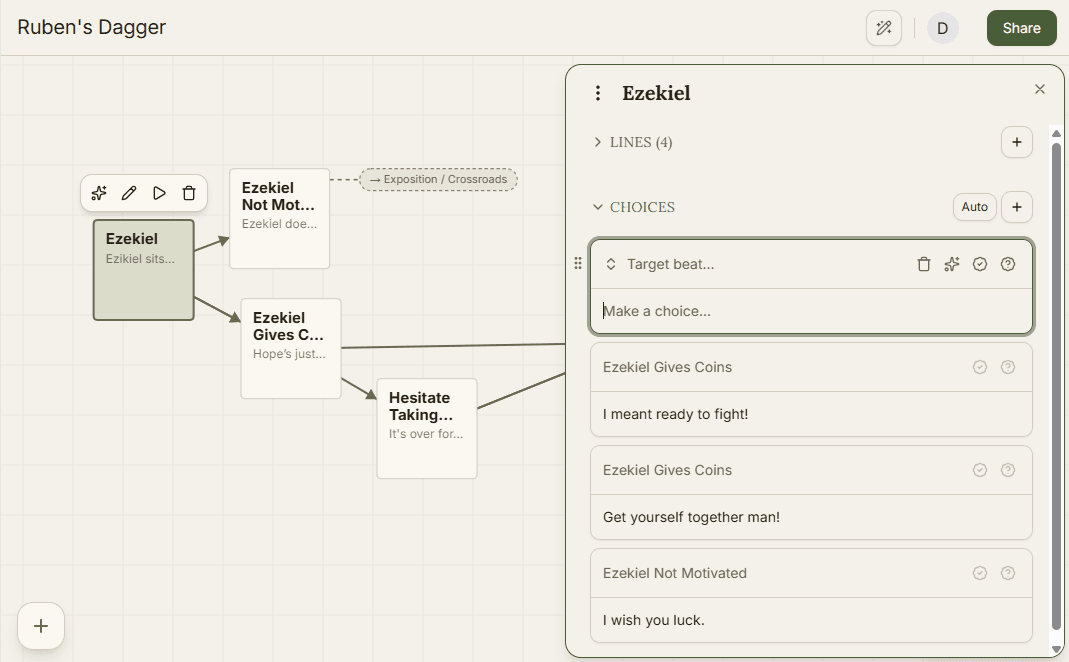
Inside a beat's editor, the Lines and Choices sections each have a button to add one, and you can also collapse each section when you want them out of the way. Drag a line or choice by its handle to reorder it - order matters for lines because they play in sequence and for choices because they display in the order you set. You can add a Character to a line to control who says it.
Routing a choice#
Every choice needs a destination beat, set through its Target beat picker. From there you can pick any beat already in the current scene, browse beats in other scenes, or choose New beat to create one on the spot without leaving the choice you're editing. A destination in another scene is labeled as Scene / Beat, so it's always clear when a choice leaves the current scene.