Collaborating with Your Team
Invite writers and editors and manage their roles.
A story can have more than one person working on it - invite collaborators and give each one a role that fits what they should be able to do.
Roles#
Creator has full control: edits everything, invites and manages members, publishes, and can delete the story. Every story needs at least one.
Writer can edit the story's content — beats, the overview, characters, the blackboard — but can't invite or manage other members, publish, or delete the story.
Reader can view the story but not edit it.
Sharing a story#
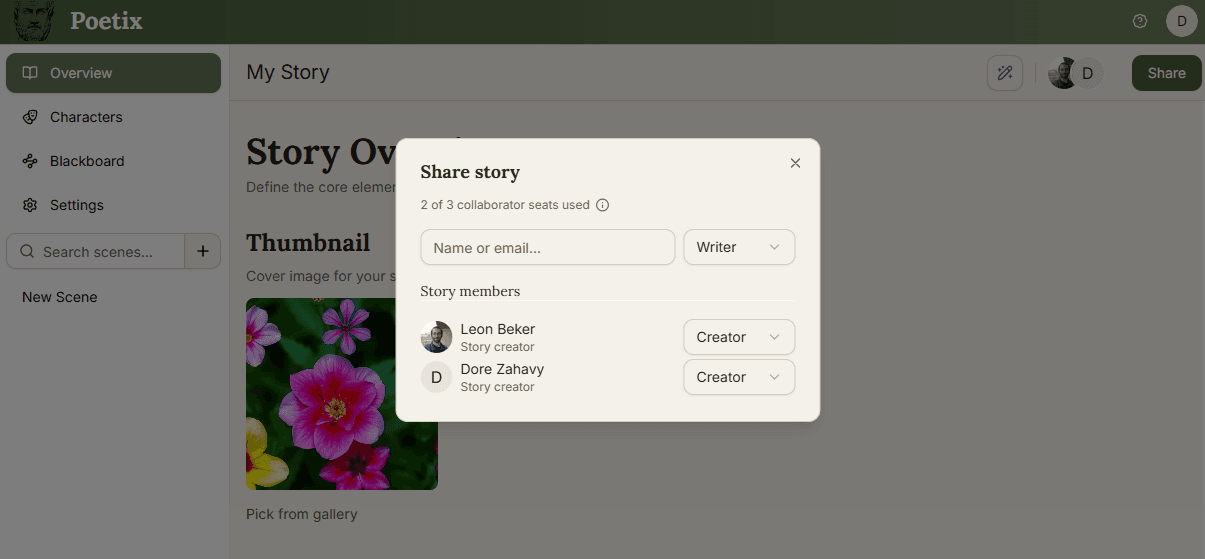
Creators see a Share button in the story header; everyone else sees Members, which opens the same list read-only. In the share dialog, search by Name or email... and pick a role before sending — someone already on Poetix is added straight away, while an email with no matching account gets sent an invite instead, expiring after 7 days if unanswered. You can resend or cancel a pending invite from the same list. Inviting members is blocked until your own email is verified.
Accepting an invite#
If the person you invited already has a Poetix account, they're added to the story immediately and just get a notification email - no separate step. If they don't have an account yet, their invite email links to a sign-up flow that drops them straight into the story once they've created one.
Removing someone, or leaving#
Creators can remove other members or change their role at any time. Anyone can leave a story themselves - except the sole creator, who needs to hand creator to someone else first.
The Studio plan and collaborator caps#
Every story allows up to 3 creators/writers by default (readers don't count against this). A Studio user can upgrade a story from the settings page - to raise that cap to 25, for up to 5 stories at a time. Removing the upgrade, or letting a Studio subscription lapse, demotes creators/writers that go over the cap of 3 back to reader, oldest members kept first.